
Sorry to See You Go!
If you want to cancel the free-trial or membership, please do so using the following instructions. If you contact us to cancel, we cannot guarantee cancellation before being rebilled.
Instructions:
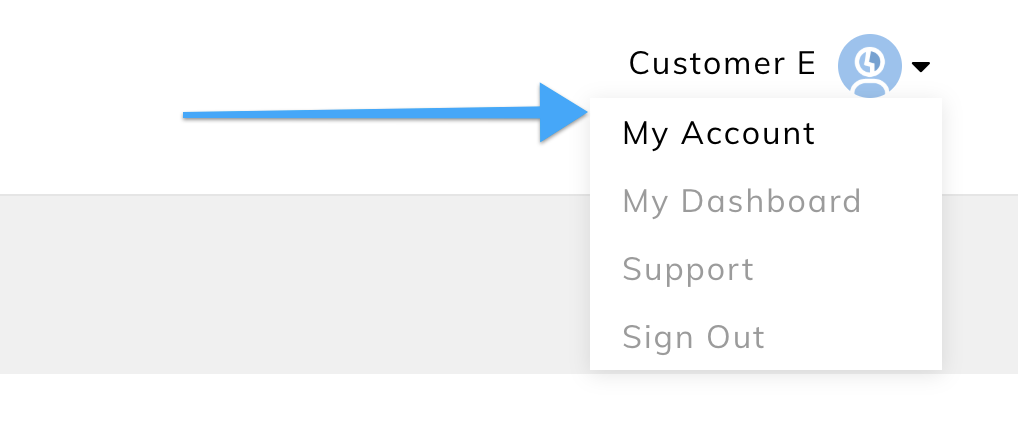
1. Access Billing Details in Membership Dashboard
To access their Billing details, a student can click on their name or picture in the top right of your Thinkific site header and select My Account. (In the Dashboard right under your name)
2. Cancel Subscription
To end recurring payments to you, from My Account Billing, students can hit Cancel for that subscription or payment plan.
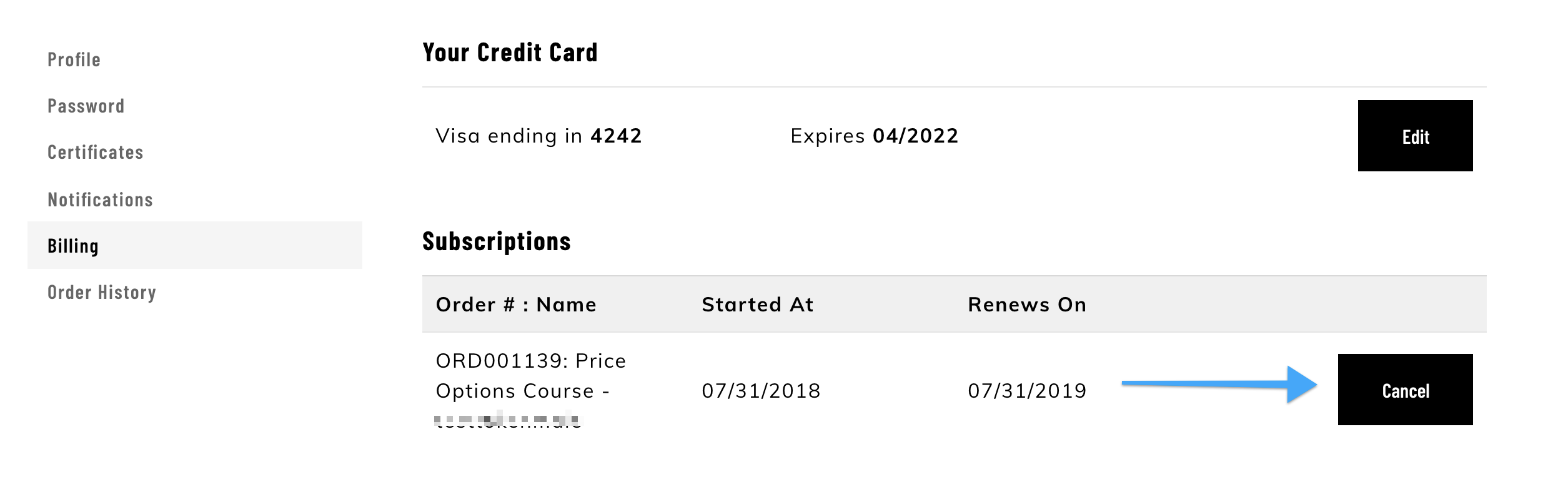
You will automatically lose access to the associated content at the end of your billing period.